Let Clients Check Your Marquee Letter Availability Themselves
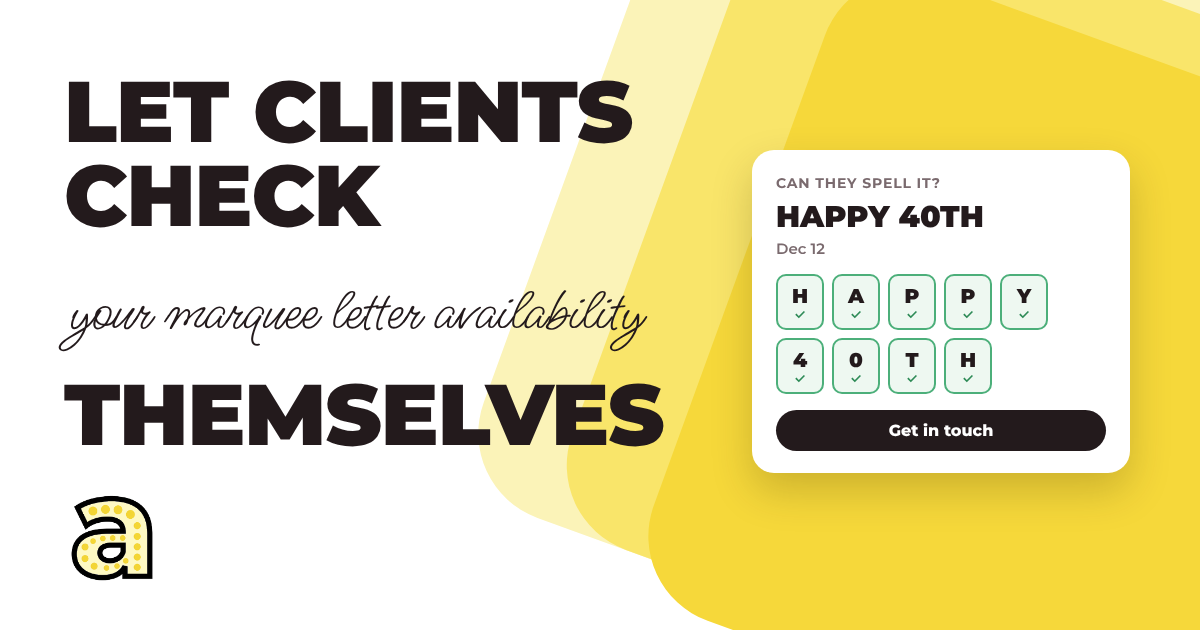
"Do you have HAPPY 40TH for the 12th?"
If you rent marquee letters, you have answered some version of that message more times than you can count. Usually when you're away from your actual stock... and usually from someone who is asking three other rental companies the same thing at the same time.
The fastest answer wins a lot of those bookings. So what if the client could get the answer without waiting on you at all?
That is what the availability link in Asset Assign does. ✨ It's completely optional: nothing about your inventory is public unless you create a link and share it yourself.
What your clients see
When you share your link, a client opens it, types the phrase they want and their event dates, and sees right away whether you have every letter they need.
The page wears your branding, too: your business name, your logo and your colors. Under every answer there is a Get in touch button that sends them straight back to you, so a "yes" turns into a conversation while they are still excited about it.
You can try a live example on my test account to see exactly what a client sees!
What your clients do not see
This is the part most owners ask about first, so here it is plainly:
- Nothing is public until you make it public. A link only exists once you create one in Settings. It isn't listed anywhere or findable in search, so only the people you give it to can open it.
- They see yes or no for each letter, and nothing else. Not how many you own, not your item list, not your style names.
- Nobody can book through it. The page only answers the question. Every reservation still goes through you, the same way it does today.
- You can turn it off any time. Switch a link off, or use Replace this link to retire an address you no longer want floating around. The old one stops answering immediately.
The link reads the same availability your own phrase checker uses, so what a client sees is what you would see if you checked yourself.
Setting it up
It takes a few minutes, and nothing about your inventory or reservations changes.
- Add your branding first. In Settings, Account, find Your brand. Add your business name, your brand color, a background color and your logo (a PNG, JPEG or WebP up to 1 MB). A preview shows the top of your page as you go. Tap Save brand when it looks right.
- Create a link. Go to Settings, Availability link and create one.
- Give it a label. Each link answers for one style, because Asset Assign counts every style as its own stock: two wood A's and two LED A's are two of each, never four. A link per style means a client's "yes" is a yes for the look they actually want. A label like "3ft wood letters" or "4ft LED letters" tells them exactly what they checked, and if you rent more than one style, make a link for each.
- Copy it and share it.
Where to put it
Anywhere your clients already find you:
- Your website. A "Check availability" button next to your contact form catches people at the exact moment they are deciding.
- Your Instagram bio or link in bio page. Someone scrolling your latest setup can check their own date in a tap, right where they found you.
- Your DM replies. When someone asks "do you have…", reply with the link. They can check other dates and phrases on their own instead of going back and forth with you.
- Your inquiry auto reply. If your CRM sends an automatic first response, add the link so a new lead can check while they wait to hear from you.
Why it helps your business
Answering availability questions by hand is not hard. It is just constant, and it is always at the worst time.
Handing that question to a link means:
- Clients get an answer at 11pm without you picking up your phone.
- The inquiries that do reach you are warmer. Someone who already knows you have their letters is ready to talk about the booking, not just checking.
- Fewer dead-end conversations. If you don't have the letters, they find out in seconds instead of after three messages.
- You look established. A branded, instant answer reads like a business that has its act together, because it does. 👌
Already using Asset Assign?
Head to Settings, Availability link and make your first one. If you set up your branding a while ago, every link you share picks it up automatically.
Not using Asset Assign yet?
The availability link sits on top of the phrase checker that tells you in one look whether you can fill every phrase on a given date, style by style. Start a free trial and you can have your own link ready to share by the end of the day. If you are still figuring out which letters to buy, the free Marquee Letter Calculator is a good first stop.